What this project shows
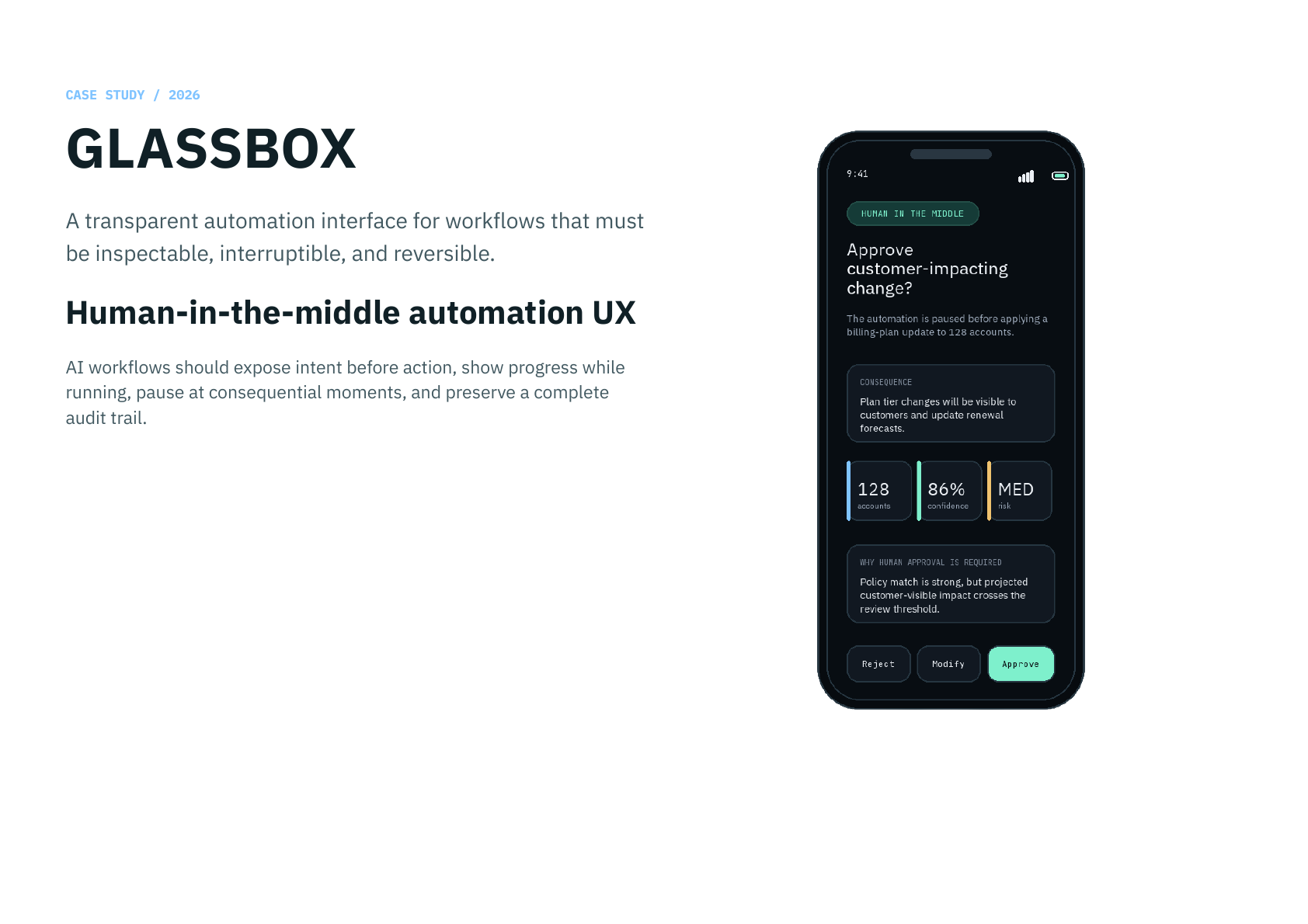
- a human-in-the-middle automation model that makes intent visible before execution
- explicit application states for plan preview, live execution, checkpoint review, modification, and completion
- semantic color rules that reserve blue, green, orange, and red for system meaning rather than decoration
- audit and undo treated as core trust mechanics, not secondary administrative views
Challenge
GLASSBOX is a concept app for transparent automation. Its core claim is that AI-driven workflows should not behave like opaque magic. They should show intent before action, expose progress while running, pause at consequential moments, and preserve a complete audit trail of both human and machine decisions.
The common promise of AI automation is that work becomes invisible. For consequential workflows, invisibility is the problem. When a system can modify code, change account state, send messages, or apply business rules, users need to understand what will happen before it happens.
Automation contract
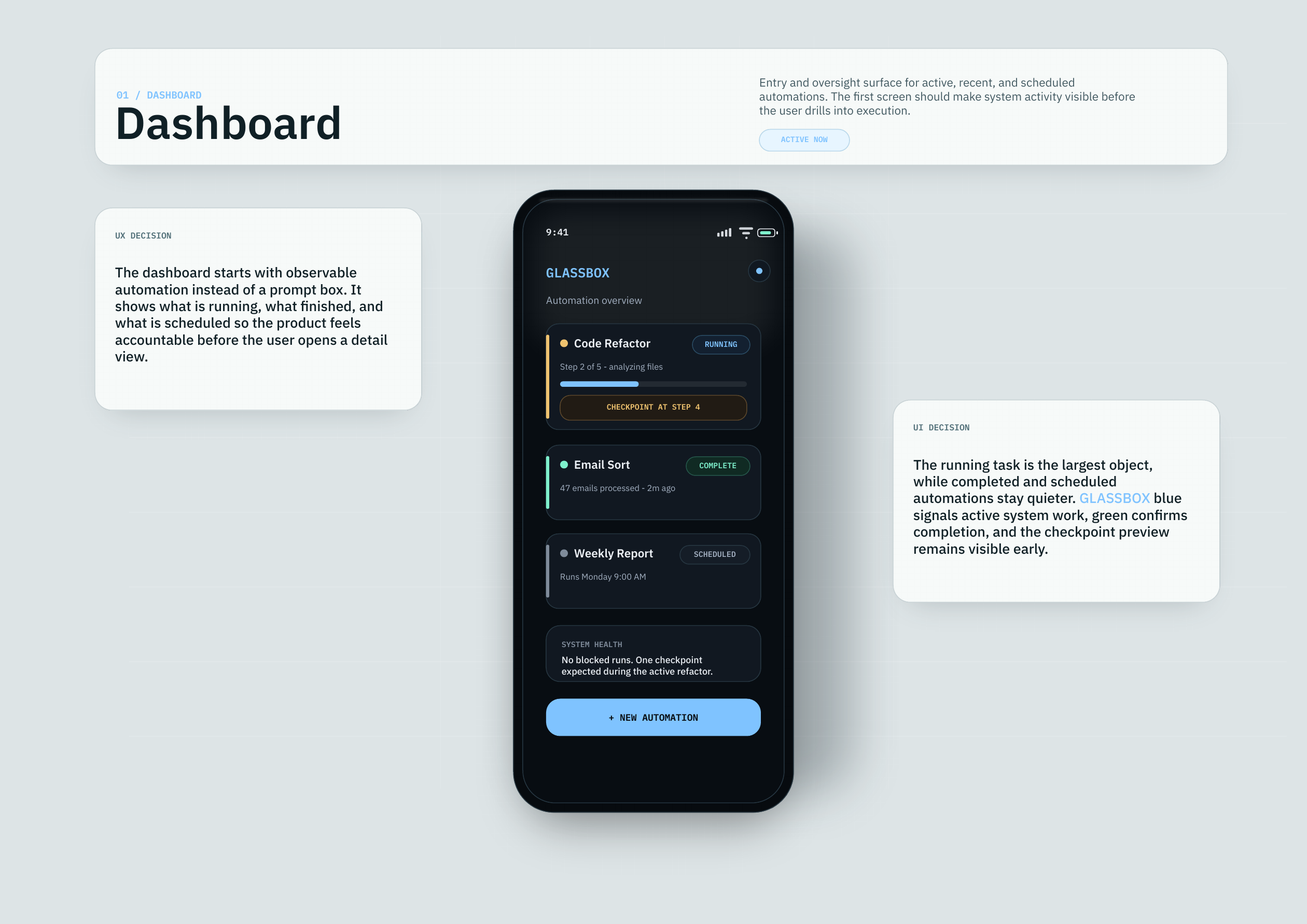
The product model is intentionally simple: reveal the plan, run visibly, pause at consequence, then preserve evidence. The interface is not an assistant chat. It is closer to an observability surface for automated work.
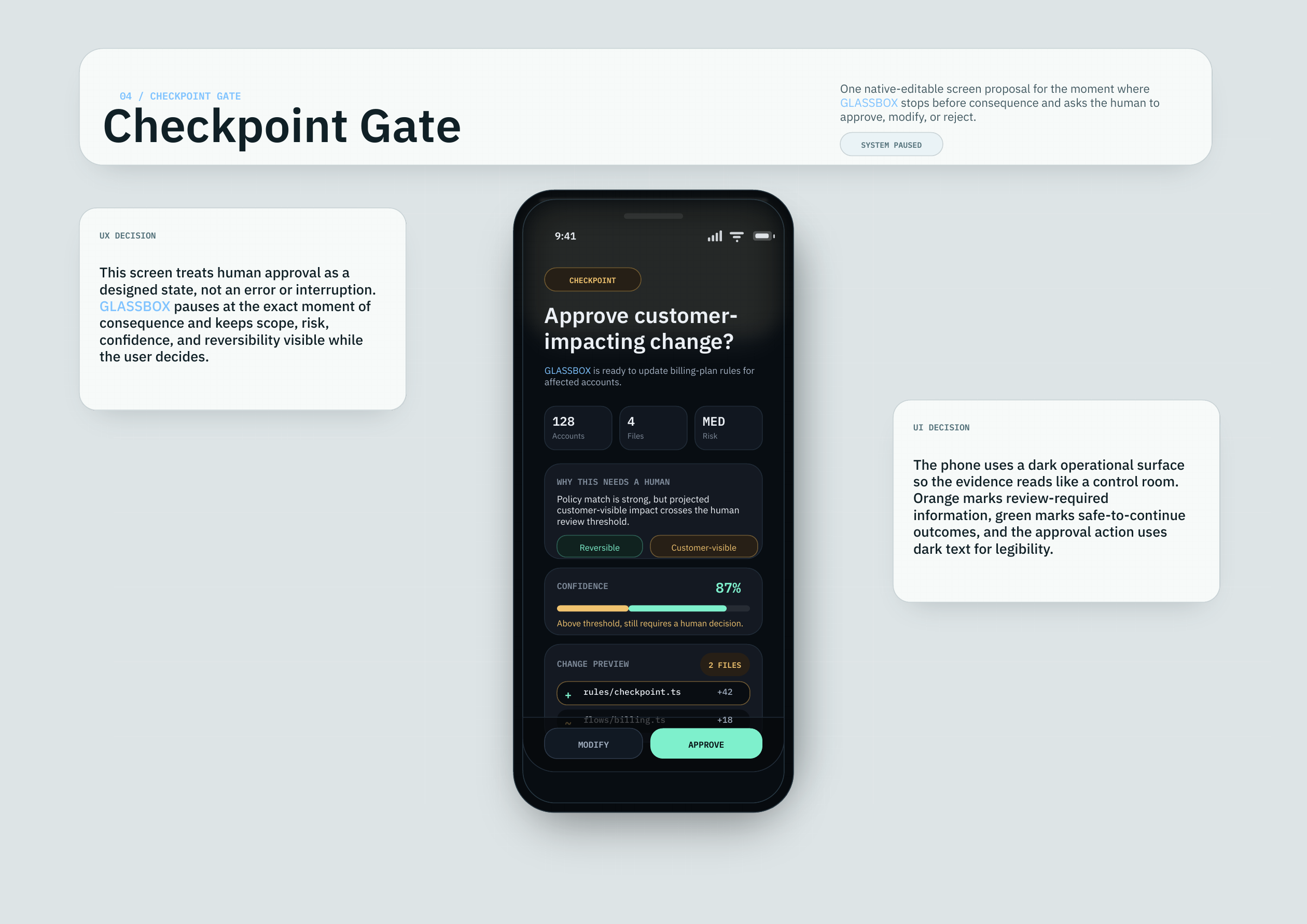
GLASSBOX slows down only where consequence begins. Routine progress remains visible, but human review becomes a designed checkpoint state when the system crosses into customer-visible, risky, or difficult-to-reverse action.
User model
The product is aimed at operations leads, engineering managers, and compliance reviewers who need accountable speed. They do not need more automation theater. They need to inspect plans, diffs, test outcomes, approvals, and evidence without reading raw logs or trusting a hidden agent loop.
State model
A production build should start from explicit application states: Plan Preview, Live Execution, Checkpoint Gate, Modify View, and Completion. Each state answers a different user question: what will happen, what is happening now, should this proceed, what needs correction, and what can be audited or reversed after completion.
Modify is treated as a continuation of approval, not an error path. Completion closes the loop with measurable outcomes, test status, audit access, and undo. The product is successful when the user can answer three questions at every point: what is happening, why is it happening, and what control do I still have?